
GDPR Tracking Audit for Websites and Marketing Tags
Find trackers, consent signals, third-party scripts, embedded services, forms, and privacy links before analytics, ads, or CRM tags become a risk.
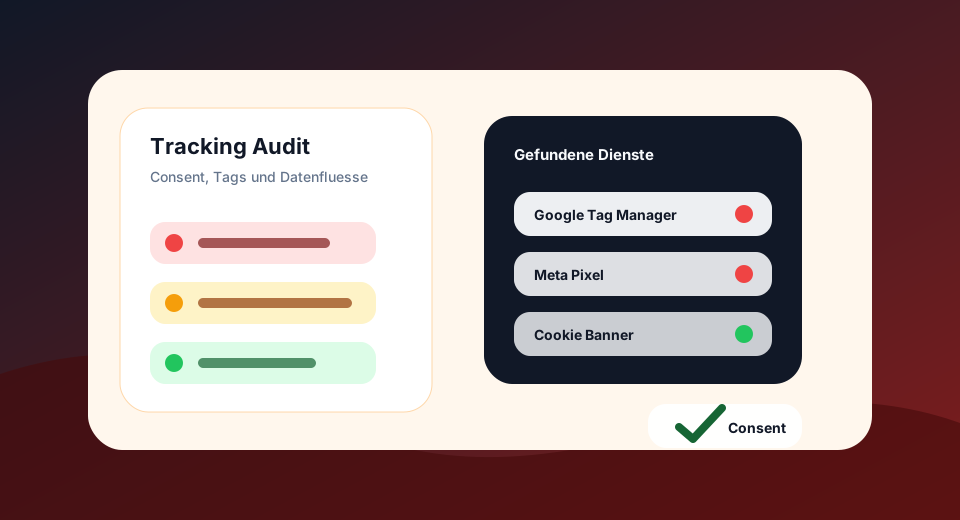
Tracking is often faster installed than cleanly documented
Analytics, ads, retargeting, heatmaps, embedded videos, maps, fonts and CRM forms quickly touch on personal data, consent, third-party providers and privacy notices.
The audit does not replace legal advice, but it reveals technical signals that are often overlooked in website projects: tags without recognizable consent signals, missing data protection links or forms with low integration.
Targeted testing of GDPR tracking
For specific questions, there are free individual checks. The audit remains the extension for multiple URLs, patterns, priorities and CSV export.
Recognize trackers and third parties
Google Tag Manager, Analytics, Meta Pixel, Hotjar, Clarity, HubSpot, Fonts, Maps, YouTube and more signals will be visible.
Prioritize consent and data protection risks
The audit groups findings by impact and distinguishes hard risks, warnings and optimization points.
Derive measures for technology and law
You will receive specific to-dos for CMP, Consent Mode, data protection page, form texts, tag reduction and documentation.
Where GDPR tracking risks arise on websites
Many privacy issues do not sit on a single page, but in reused templates, global tag manager containers, form components, consent settings or external embeddings. The GDPR Tracking Audit combines these technical signals with a prioritized list of measures.
Cookiebot, Usercentrics, OneTrust, Borlabs, Compliance and Consent Manager are technically recognized and compared with tracking finds.
GTM, GA4, Google Ads, DoubleClick and Consent Mode signals are rated as a separate category, because several tags are often centrally controlled here.
Marketing pixels, conversion tags and remarketing setups are conversion-strong, but often particularly in need of review.
Contact, newsletter, download, login and request forms are checked for data protection links, external goals, GET methods and sensitive input fields.
Google Fonts, Maps, YouTube, Vimeo, reCAPTCHA, hCaptcha, CDN hosts and other external resources can trigger connections as soon as the page is called.
The audit checks whether data protection and imprint links are technically accessible in the crawl and whether cookie/consent settings are findable.
Why Cookie Banners Alone Are Not Enough
Tracking is not just about the visible cookie banner. What is relevant is which services are actually loaded, which data can flow to third parties, whether consent is voluntary, informed and revocable and whether non-essential technologies remain blocked before consent.
This is why the audit not only checks CMP names, but also tracker signals, external resources, form destinations, cookie/storage notices, consent mode and links to data protection, imprint and cookie settings.
Static pre-test with manual connection tasks
Automatic: HTML, script sources, iFrames, link resources, forms, external hosts, consent signals and privacy links.
Manually thereafter: Network requests before/after consent, banner design, legal bases, AVV, third-country transfer, deletion periods and specific data protection notices.
Objective: Find the main technical gaps before they hurt in tracking, UX, trust, conversion or legal auditing.
Examine Consent Rules and Data Protection Principles
Official information on voluntariness, information, revocation and verifiability of consent.
Data protection supervisory interpretation for consent according to GDPR, relevant for banners, tracking and revocation.
Classification of technically necessary and non-essential tracking technologies in the context of the TDDDG.
Checking website for tracking risks
The audit crawls up to 10 pages of the same domain, analyzes static tracking signals and creates a prioritized list of results with score, categories, services, URLs and recommendations.
GDPR Tracking Audit Opening| Scandal | Home page, sitemap URLs and internal links up to the audit limit |
|---|---|
| Checks | Tracker, Consent, Privacy Notices, Forms, Third Party Providers, Consent Mode |
| Output | Score, traffic lights, affected URLs, services, CSV export |
| Note: | Technical pre-examination, no legal assessment of individual cases |
Findings become concrete tasks for marketing, technology and data protection
Remove unused tags, set owners, document consent categories.
Reject, accept, revoke and check network requests in the browser.
Compare purpose, mandatory fields, external goals, newsletter opt-in and data protection information.
Specifically identify recipients, purposes, legal bases, storage period and third country transfer.
Frequently Asked Questions about GDPR Tracking Audit
What does the GDPR tracking audit check?
He seeks technical signals for trackers, consent management, privacy links, forms, external services, and typical marketing or analytics tags.
Can the audit prove that tracking is legal?
No. It shows technical risks and gaps. Legal bases, consent texts, contracts and concrete data flows must be legally examined.
Why are Google Tag Manager and Meta Pixel critical?
You may touch personal data, identifiers, conversion signals or third-party communications. Without clean consent setup and documentation, a risk quickly arises.
Does the audit check cookie banner visually?
The audit is a static technical preliminary examination. It recognizes CMP signals in the HTML and scripts, but does not replace a manual banner and consent flow test.
Why are fonts, maps or videos marked?
External embeds can trigger connections to third-party providers. Depending on the integration and legal basis, these services should be documented and configured in a data protection-friendly manner.
How does this fit with SEO and UX?
Slimmer tags, clearer consent flows and better forms improve loading times, trust, conversion and technical website quality.
What is the difference between GDPR and TDDDG in tracking?
Put simply, the TDDDG concerns access to information in the end device, such as cookies or similar technologies. The GDPR concerns the processing of personal data. In practice, both topics often interlock in tracking.
Why is an existing cookie banner not automatically enough?
A banner is only a visible part of the setup. The decisive factor is whether unnecessary tags are blocked before consent, whether rejection and revocation work and whether purposes, providers and data flows are correctly documented.
Does audit tracking recognize before consent?
The audit detects static integrations and consent signals. Whether a day actually fires before or after consent, must also be checked in the browser with network and consent tests.
Why does the audit check form actions?
Forms are often the place where personal data is actively transmitted. External targets, insecure HTTP targets or GET forms can create privacy, security and trust risks.
Which pages should I check first?
Home page, landing pages with ad traffic, product and category pages, contact pages, newsletter forms, checkout-related pages and all pages with embedded maps, videos or tracking pixels.
What does “third party provider” mean in the audit?
This refers to external hosts and services that can load resources or receive data, such as analytics, ads, CRM, video, card, font, chat or anti-spam providers.
Can I pass on the results to data protection or development?
Yes. The CSV export contains checks, services, affected URLs, impact and recommendations. This makes it possible to prepare tickets, tag manager tasks and data protection checks faster.
How often should tracking be checked?
Always after relaunches, new campaigns, CMP updates, plugin updates, form changes, and new marketing or CRM integrations. For active marketing websites, a regular examination makes sense.
Place Consent and GDPR offers visibly
CMPs, cookie scanners and data protection services are a particularly good fit for users who are examining tracking, consent and GDPR risks.